
Interactive Maps
CSV2GEO automatically generates interactive maps from your geocoded data.
Features
- Pan and Zoom - Navigate the map freely
- Click for Details - Click any marker to see address details
- Clustering - Large datasets are clustered for performance
- Share - Get a shareable link to your map
- Embed - Embed the map in your website
Viewing Your Map
After processing completes:
- Click View Map button
- Your map opens in a new tab
- All geocoded addresses appear as markers
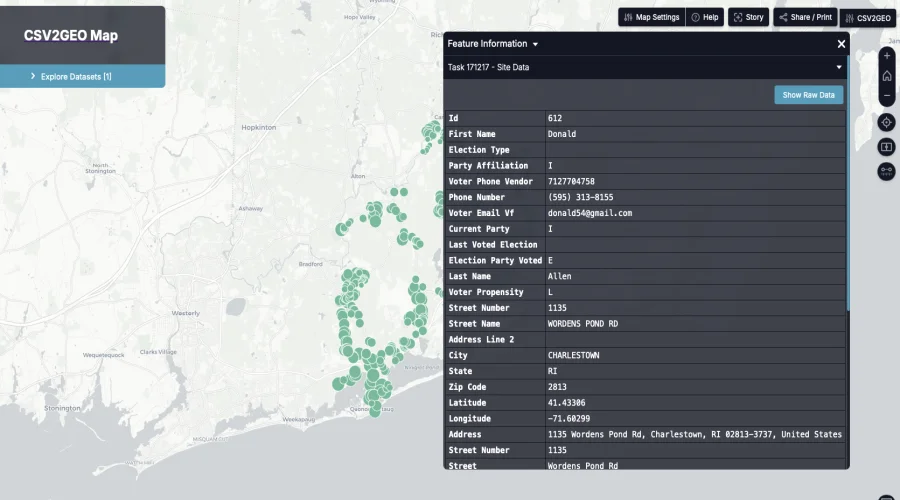
Map Controls
| Control | Action |
|---|---|
| Mouse scroll | Zoom in/out |
| Click + drag | Pan the map |
| Click marker | Show address popup |
| +/- buttons | Zoom controls |
Sharing Your Map
Share Link
- Click the Share button
- Copy the generated URL
- Send to anyone - no login required
Embed Code
To embed the map in your website:
- Click Embed button
- Copy the iframe code
- Paste into your HTML
html
<iframe
  src="https://map.csv2geo.com/your-map-id"
  width="100%"
  height="400"
  frameborder="0">
</iframe>
Map Customization
- Filter - Show/hide markers based on data
- Colors - Markers can be colored by category
- Icons - Different icons for different types
Data Privacy
- Maps are private by default
- Only people with the link can view
- No data is shared publicly
Next Steps
- Download Results - Export your data
- My Tasks - Manage your geocoding tasks